


3D architectural animation is a planned CGI film that shows a building, interior, site, or development through moving images. It can communicate arrival, scale, circulation, materials, light, landscape, and atmosphere before construction is complete.
The development team has approved the facade, floor plans, and material palette. The investor presentation starts on Friday. Yet the first question in the room will not be about a drawing. It will be about experience. How does a visitor arrive, where does the lobby open up, and what will the view feel like from the terrace?
The film answers those questions with a controlled sequence. A successful 3D architectural animation turns technical information into an understandable route without pretending that unresolved design is final.
A still rendering fixes one camera at one moment. Animation controls what the viewer sees next. That difference makes it useful for property launches, planning conversations, investor presentations, design reviews, sales suites, competitions, and public engagement.
It also makes animation demanding. A one-minute film at 24 frames per second contains 1,440 rendered frames. A camera error, wrong material, or outdated design can repeat across hundreds of images. Good production therefore depends less on pressing the render button and more on deciding the story, approving the route, and locking the right information at the right time.
This guide explains how 3D architectural animation works, when it earns its budget, how walkthroughs and flythroughs differ, what drives cost and timing, and how to brief a studio without paying for avoidable rework.
| Quick question | Direct answer |
|---|---|
| What is it | A planned CGI film of a building, interior, site, or development |
| Who uses it | Architects, developers, agents, designers, planners, and construction teams |
| What does it show | Space, sequence, scale, movement, materials, light, context, and atmosphere |
| What is the key production decision | Approve the story and camera route before final rendering |
| What affects the price | Runtime, modeling, scene detail, shot count, movement, realism, revisions, and output scope |
| What affects the schedule | Source-file quality, design stability, feedback speed, rendering load, and post-production |
| What is the usual mistake | Starting polished production before the design and animatic are locked |
What is 3D architectural animation and when should you use it?
3D architectural animation is a time-based visualization of a designed environment. Use it when the order of spaces, the arrival experience, the relationship between buildings, or a developing atmosphere matters more than one perfect viewpoint.
The result may look like a short property film, a guided interior route, an aerial site tour, a construction sequence, or a cinematic launch piece. Each version uses the same core disciplines of accurate modeling, materials, lighting, cameras, rendering, editing, and sound. The business goal determines how those disciplines are combined.
How is architectural animation different from a still rendering?
Architectural animation communicates change over time, while a still rendering communicates one selected view. Movement can reveal how rooms connect, how a person approaches an entrance, how a master plan fits its setting, or how a building changes through the day.
| Format | Best at showing | Main limitation |
|---|---|---|
| Still rendering | One controlled composition with close detail | Cannot show a route or sequence |
| 3D architectural animation | Movement through space and a designed story | Requires more decisions, frames, review, and rendering |
| 360 panorama | A fixed position that viewers can look around | Does not guide the viewer between locations |
| Interactive virtual tour | User-controlled exploration | Provides less control over story and pacing |
| Physical video | The reality of a completed place | Cannot show an unbuilt or revised design |
Rendering and animation are related, but they are not interchangeable deliverables. A strong still can tolerate detail outside its camera view remaining unfinished. A moving camera may expose ceilings, junctions, landscaping, reflections, furniture backs, and transitions that no approved still ever showed.
This is why a film built from an existing image set still needs a scene audit. The team must identify every surface and area that enters the route. Our 3D animation service treats the camera path as part of scope, not as a late presentation choice.
What is the difference between a walkthrough and a flythrough?
A walkthrough usually moves at human eye level through interiors or pedestrian routes. A flythrough usually travels around, over, or between buildings to explain massing, context, landscape, and the wider development. A complete film can use both.
| Question | Walkthrough | Flythrough |
|---|---|---|
| Where is the camera | Near standing or seated eye level | Often elevated, aerial, or outside the building |
| What does it explain | Rooms, finishes, circulation, and spatial sequence | Site, form, access, context, and scale |
| What is the viewer meant to feel | Present inside the space | Oriented around the project |
| Where is it useful | Homes, apartments, hotels, offices, retail, and amenities | Master plans, campuses, towers, resorts, and industrial sites |
| What can go wrong | Fast motion, wall clipping, and wide-lens distortion | Aimless orbiting and weak scale cues |
An architectural walkthrough animation should feel like a considered visit, not a camera dragged through every room. The route needs priorities. A buyer may need the entrance, primary living area, view, and main bedroom. An operator may need circulation, front of house, and a key service relationship.
An architectural flythrough animation needs the same discipline. Height alone does not create understanding. The camera should establish location, reveal the project form, show access and landscape, then move closer to the features that support the message.
Autodesk explains the basic walkthrough method as a camera path controlled by frames, targets, and speed. That technical definition is useful. A client-ready film adds editorial purpose to every movement.
Which architectural animation type fits each project goal?
The right format follows the decision or action the film must support. A design review needs clear evidence. A sales launch needs desire and orientation. A planning conversation may need accurate context and modest presentation.
| Project goal | Suitable animation | What the film should prove |
|---|---|---|
| Explain a residential layout | Interior walkthrough | Flow, proportions, views, and material continuity |
| Launch a multi-building scheme | Exterior and interior film | Location, arrival, amenities, homes, and lifestyle |
| Present a master plan | Aerial flythrough | Boundaries, access, phases, landscape, and connections |
| Review a workplace | Guided interior route | Adjacencies, movement, capacity, and experience |
| Explain construction | Phasing animation | Sequence, logistics, temporary works, and milestones |
| Pitch a competition design | Short concept film | Central idea, form, context, and human experience |
| Market hospitality | Cinematic walkthrough | Arrival, mood, rooms, shared spaces, and destination |
| Present an industrial site | Operational flythrough | Access, scale, zones, movement, and infrastructure |
3D animation walkthrough services are often purchased as a marketing deliverable, but their value can begin earlier. A simple preview route can reveal awkward camera turns, incomplete sightlines, unresolved junctions, and visual clutter before a high-quality film is produced.
For a mixed-use scheme, 3D animation walkthrough services can connect site orientation, public areas, homes, and amenities in one planned route. The story should still prioritize the few relationships that matter most.
That does not make animation a substitute for technical coordination. It is a communication layer built from design information. If the source is incomplete or outdated, a polished film can present the wrong answer with great confidence.
When is animation worth more than stills or an interactive tour?
Animation is worth the added scope when the project has a story that unfolds through movement and the audience should follow a controlled route. Choose stills when only a few hero views matter. Choose an interactive experience when users need to explore in their own order.
A developer launching an apartment scheme may need all three. Stills serve listings and print. A 60-second film creates the main campaign story. A VR and AR visualization experience lets serious buyers explore selected rooms after the film has created interest.
A Matterport 360 virtual tour serves a different need from a linear film. It lets the user choose where to look and move, while animation preserves a fixed story and pace.
The choice can be tested with four questions.
- Does movement explain something a still cannot show?
- Does the audience need a curated story rather than open exploration?
- Will the film be reused across presentations, web, sales suites, social channels, and events?
- Is the design stable enough to approve a camera route?
If most answers are no, invest in stills first. If most are yes, 3D architectural animation can carry information and emotion in one controlled asset.
What can architectural animation communicate well?
Architectural animation communicates spatial sequence, relative scale, visual connections, material transitions, daylight mood, landscape, and the intended use of a place. It is less reliable as proof of exact performance unless the film is backed by validated analysis.
The distinction matters. A sunset shot can express atmosphere. It does not prove annual daylight performance. Moving trees can express weather. They do not prove wind comfort. Animated people can show intended activity. They do not confirm capacity, accessibility, or operational compliance.
The RIBA Plan of Work places information exchanges at defined project stages. Animation should follow the same logic. Label the design stage, agree which information is fixed, and record assumptions that affect visible content.
Marketing accuracy matters too. UK advertising rules apply to generated content as they do to other production methods. The Advertising Standards Authority explains that existing rules still apply regardless of how material is generated or edited. A responsible film does not hide nearby context, invent guaranteed views, or present an unapproved finish as certain.
What are the limits of 3D architectural animation?
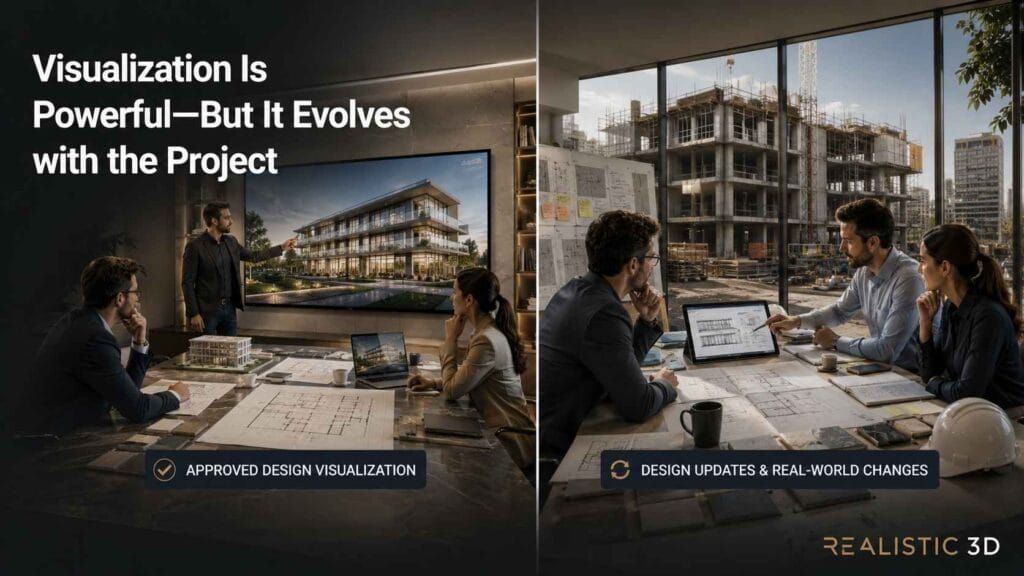
The limits are source accuracy, design stability, budget, production time, and the difference between a visual proposal and a built outcome. Animation can make an idea understandable, but it cannot remove uncertainty that is still present in the design.
Every moving frame creates more visible surface area than one image. Reflections expose objects behind the camera. Glass reveals adjacent spaces. Landscaping must remain coherent across shots. Cars and people need believable movement. Small discontinuities that pass in a still become distracting when they flicker or jump.
There is also an editorial limit. Showing every room usually weakens the film. A viewer remembers a clear journey more readily than a complete inventory. This is why professional 3D architectural walkthrough services should ask what the audience must understand, feel, and do after watching.
How is a 3D architectural animation made from brief to final film?
A 3D architectural animation is made through eight connected stages. The team defines the goal, audits the design inputs, plans the story, prepares the scene, approves an animatic, develops the final look, renders the frames, then edits and delivers the film.
The expensive work should follow the cheap decisions. A rough storyboard costs less to change than a textured scene. A low-resolution animatic costs less to change than 1,440 final frames. This production order protects both quality and budget.
What files and decisions should be ready before production?
Production should begin with current design files, a clear audience, a defined use, an approved duration range, and one decision-maker for consolidated feedback. More source material helps only when the studio can tell which version is authoritative.
| Input | What the studio needs to know |
|---|---|
| BIM or 3D model | Software version, linked files, coordinates, and current design status |
| Plans, elevations, and sections | Drawing issue, scale, dimensions, and any differences from the model |
| Site or survey information | Boundaries, levels, roads, context, and camera restrictions |
| Material schedules | Product references, colours, finish, pattern scale, and approved alternatives |
| Landscape information | Species intent, maturity, season, levels, and hardscape finishes |
| Furniture and equipment | Exact products, reference families, or acceptable visual equivalents |
| Brand assets | Logos, fonts, colours, end frames, and graphic rules |
| Marketing claims | Approved wording, disclaimers, tenure, location, and feature status |
| Delivery plan | Master resolution, aspect ratios, captions, cutdowns, still frames, and deadline |
Do not send a folder of similarly named models without an issue register. Mark the source of truth. Record visible assumptions. If a design package changes weekly, agree a cutoff for each approval gate.
An existing model can reduce setup work, but it is rarely film-ready. BIM data may contain duplicate geometry, heavy families, hidden elements, unresolved joins, generic materials, and linked content. The animation team must clean, organize, and optimize it while preserving the approved design.
How should the story and storyboard be planned?
The storyboard should translate the project goal into a short sequence of shots before detailed production begins. Each shot needs a purpose, a start and end, an approximate duration, and the design information required to make it credible.
Realistic 3D uses a practical test for every proposed shot called route, reveal, and reason.
| Test | Planning question | Weak result when missing |
|---|---|---|
| Route | Where does the camera move and why is that path believable | Motion feels mechanical or passes through obstacles |
| Reveal | What new feature or relationship becomes clear | The shot repeats information already shown |
| Reason | What business or design goal does the shot support | The image looks attractive but has no job |
A typical property film may open with context, approach the building, cross the threshold, reveal a primary space, connect to a view or amenity, then close on a memorable exterior or branded frame. That sequence is not a template. The project story may require a different order.
The storyboard can use sketches, reference images, floor-plan routes, or simple viewport captures. At this stage, clarity matters more than polish. Add draft voiceover and text early because words affect shot length.
What happens during the eight-stage production workflow?
The workflow moves from strategy to increasingly expensive visual decisions. Approving each stage prevents a late request from reopening work that was already rendered and edited.
- Define the objective and audienceAgree what the film must communicate, where it will appear, who approves it, and what action should follow. A planning presentation, investor pitch, and paid social campaign need different proof and pacing.
- Audit the model and referencesCompare BIM, CAD, drawings, schedules, and references. Log gaps and conflicts. Confirm the design issue that will appear on screen.
- Build the narrative and shot listMap the opening, route, key reveals, transitions, final message, approximate duration, and audio plan. Apply the route, reveal, and reason test.
- Prepare the sceneClean geometry, organize assets, model missing areas, set real-world scale, develop the site, and prepare content needed along the complete camera path.
- Create and approve the animaticProduce a low-detail preview that establishes cameras, shot order, framing, movement, and timing. Temporary music or voiceover may be used to test rhythm.
- Develop materials, lighting, and lifeBuild the approved look, populate the scene, refine landscape, animate selected elements, and test transitions under representative render settings.
- Render and quality-check the framesRender image sequences, inspect for flicker and discontinuities, replace failed frames, and assemble approved passes for post-production.
- Edit, grade, mix, and deliverComplete the edit, colour grade, graphics, captions, voiceover, music, sound design, encoding, cutdowns, and channel-specific exports.
Epic Games documents a similar keyframe and video-part structure in Twinmotion. The software can change, but the planning principle remains. A camera route is a sequence of purposeful positions over time.
Why should the animatic be approved before final rendering?
The animatic should be approved first because it locks the story, cameras, timing, and basic composition while changes are still inexpensive. It is the most important commercial approval in the project.
An animatic may use clay materials, simplified lighting, low samples, placeholders, and viewport output. It should still show every planned shot at the intended duration. Reviewers should judge the route and information, not surface polish.
Ask these questions during animatic review.
- Does the opening orient a new viewer quickly?
- Does every shot add information?
- Is movement comfortable at the intended screen size?
- Are important entrances, views, and transitions legible?
- Does the route match real circulation where realism matters?
- Is there enough time for text, narration, or a feature to register?
- Does the ending leave one clear idea?
A 3D walkthrough animation company should identify what changes after camera approval. Moving a chair is different from replacing the route through three rooms. The quote and review schedule should reflect that difference.
How are materials, lighting, people, and landscape made believable?
Believability comes from consistent scale, physically plausible light, correct material response, restrained movement, and details that support the project rather than compete with it. Realism is continuity across frames, not a single sharp image.
Materials need accurate texture scale, reflectivity, roughness, transparency, relief, and edge treatment. Lighting must remain coherent as the camera travels. Exposure changes should feel motivated. A sudden shift in colour or brightness between shots can make one building look like two different projects.
People, cars, curtains, water, screens, lifts, and planting can give scale and life. Each animated element adds setup, review, and render risk. Use movement where it explains operation or atmosphere. A crowded scene with repeated characters can lower credibility.
Interior scenes demand particular control. Our interior 3D rendering service focuses on lighting, materials, proportion, and styling in still frames. In animation, those decisions must also hold up through changing angles and reflections.
How should revisions be approved without losing control?
Revisions should follow four locks. Approve content, then cameras, then the visual look, then the final edit. A lock does not prevent correction. It defines the cost and schedule effect of reopening a decision.
| Approval lock | What becomes fixed | What reviewers should inspect |
|---|---|---|
| Content lock | Design issue, assumptions, required features, and claims | Accuracy and completeness |
| Camera lock | Shots, route, framing, timing, and basic transitions | Story and spatial clarity |
| Look lock | Materials, lighting, landscape, people, and mood | Visual accuracy and consistency |
| Final lock | Edit, graphics, audio, captions, and exports | Brand, access, and delivery requirements |
Collect feedback from architects, developers, marketers, and leadership into one marked document or time-coded list. Identify the decision-maker. Conflicting notes are not extra detail for the artist to solve. They are a client-side decision that needs resolution.
This structure is useful when buying 3D animation walkthrough services because it makes the revision allowance measurable. A promise of unlimited changes may sound generous, but it does not define how late design changes affect delivery.
Why is an image sequence safer than rendering straight to video?
An image sequence is safer because a failed frame or interrupted render can be replaced without rendering the entire film again. It also preserves higher-quality source frames for grading, compositing, and archive.
The Blender manual recommends rendering animations as images, generally in a format that does not compromise quality. The same logic applies across production tools. Render frames first, assemble video second.
During quality control, inspect flicker, noise, texture swimming, disappearing geometry, light changes, reflection errors, clipping, motion blur, repeated assets, and continuity between shots. Watch at full speed and frame by frame. A defect may be invisible in one mode and obvious in the other.
Should final animation use real-time or offline rendering?
Use the workflow that meets the approved visual, review, and delivery requirements. Real-time rendering supports fast iteration and interactive use. Offline rendering gives the team more time per frame for complex light transport, effects, sampling, and compositing. A hybrid project can use both.
The boundary is no longer simple. A real-time engine can produce polished final film, and an offline pipeline can use fast viewport previews for story and camera approval. Judge the result in motion, the team’s ability to revise it, and the required delivery formats.
Real-time production can suit design reviews, tight iteration, interactive experiences, large variant sets, and films built around a prepared game-engine scene. Offline production can suit demanding glass, reflections, dense interiors, controlled effects, and pipelines that need detailed render passes. Neither method corrects an inaccurate model or weak camera route.
Epic Games describes its Movie Render Pipeline as an image-sequence system for higher-quality output, batch jobs, and reusable settings inside Unreal Engine. This is a useful reminder that a real-time tool can also support offline-quality final rendering.
Ask the studio which workflow it recommends, what will be delivered, and what changes remain practical after each approval. The buyer needs a reliable 3D architectural animation, not an engine label.
What should happen during editing, sound, and delivery?
Editing should turn approved shots into one coherent film, supported by colour, graphics, narration, music, sound, and accessible delivery. Audio is part of the story, not a decoration added after the visuals are finished.
Music sets rhythm and tone. Voiceover can explain features that are difficult to infer. Sound design can make doors, water, city context, landscape, and material transitions feel present. Every track needs appropriate usage rights for the intended channels and territories.
Provide captions when spoken information is present. The W3C guidance for prerecorded media requires captions for prerecorded synchronized audio at WCAG Level A. A separate transcript also gives sales teams, search engines, and users another way to access the content.
Deliver a high-quality master and derivatives made from that master. Typical outputs include 16 by 9 for websites and presentations, 9 by 16 for vertical social, 1 by 1 for feeds, a clean version without text, a captioned version, short cutdowns, poster frames, and selected still images.
YouTube recommends preserving the native frame rate and provides current resolution, codec, colour, and bitrate guidance. Platform rules change, so confirm specifications at delivery rather than reusing an old export preset.
How should you plan the length, cost, and production time?
Plan length, cost, and production time around the film objective, not an arbitrary number of seconds. Runtime affects frame count, but model readiness, shot complexity, environments, movement, approvals, and delivery versions often have a greater effect on the final scope.
A useful plan connects three clocks. The audience clock is the time a viewer will give the film. The story clock is the time needed to communicate the project. The production clock is the time needed to create, approve, render, and finish the work. The right scope respects all three.
This is where 3D architectural animation planning becomes a business decision. The best runtime is the shortest one that delivers the required story at the required quality.
What is the ideal length for an architectural animation?
There is no universal ideal length. A focused website or campaign film often works within 30 to 90 seconds, while a complex investor presentation or stakeholder explanation may need longer. Every extra second should add information, emotion, or a useful transition.
Use the channel as a starting constraint, then edit for the story.
| Use | Practical planning range | Editorial priority |
|---|---|---|
| Social cutdown | 6 to 20 seconds | One feature, fast orientation, and immediate branding |
| Website hero loop | 10 to 30 seconds | Strong movement that also works without sound |
| Focused property film | 45 to 90 seconds | Context, arrival, key spaces, and a clear finish |
| Sales presentation | 60 to 120 seconds | A guided route with room for explanation |
| Investor or stakeholder film | 90 seconds to 3 minutes | Project logic, phases, context, and evidence |
| Exhibition loop | Variable | Readable without a fixed start and suitable for repetition |
These are planning ranges, not industry rules. A 25-second film with four purposeful shots can communicate more than a two-minute room inventory. A longer film earns its runtime when the audience has chosen to watch and the project has a genuine sequence to explain.
Pacing also depends on the screen. A camera move that feels calm in a cinema may feel fast on a phone because small details need more time to register. Test the animatic on the actual presentation devices.
How should you choose walkthrough vs flythrough animation?
Choose a walkthrough when the viewer needs to understand interior flow at human scale. Choose a flythrough when the viewer needs to understand form, landscape, access, or a group of buildings. Combine them when arrival and interior experience belong to one story.
Walkthrough vs flythrough animation is not a contest between two production styles. It is a choice of viewpoint. Start with the question the film must answer.
- Use a walkthrough to show how the lobby connects to amenities
- Use a flythrough to show how a campus connects to roads and landscape
- Use a walkthrough to compare room sequence and view direction
- Use a flythrough to explain massing, facade, roofs, and site scale
- Use both to move from regional context to arrival and occupancy
The transition between aerial and human scale needs care. A continuous dive from the sky through a window often feels synthetic. A cut or motivated transition can preserve orientation more effectively.
An architectural walkthrough animation also needs pauses. Slowing near a threshold, view, material junction, or main feature gives the viewer time to understand it. Constant speed makes important and unimportant areas feel equal.
An architectural flythrough animation needs similar changes in pace as it moves from context to detail. The aerial view should orient the viewer before the camera asks them to notice facade or landscape decisions.
What determines the cost of 3D architectural animation?
The cost is determined by the work required to build and approve the film, plus the computing and post-production needed to finish it. Duration matters, but a short sequence with a new city block, complex landscaping, crowds, and design changes can cost more than a longer route through a prepared scene.
| Cost driver | Why it changes scope | Question to settle early |
|---|---|---|
| Model readiness | Cleanup and missing geometry add production work | Is there a current BIM or 3D model |
| Visible area | A moving camera exposes more of the project | Which buildings, rooms, and context enter frame |
| Shot count | Each shot needs planning, setup, review, and finishing | How many distinct camera ideas are needed |
| Runtime and frame rate | More seconds create more frames | Which master and cutdown lengths are approved |
| Material complexity | Glass, metal, fabric, water, and layered finishes need testing | Which surfaces are visually critical |
| Landscape and context | Detailed sites require modeling, placement, and continuity | What is accurate, conceptual, or supplied |
| Animated content | People, vehicles, water, doors, screens, and weather add setup | Which movement communicates something useful |
| Lighting changes | Day, dusk, and night may require separate development | How many visual conditions are required |
| Render quality | Samples, effects, resolution, and motion blur affect computing | Where and how will the master be viewed |
| Audio and graphics | Voice, music, sound, titles, and captions need production | Who supplies scripts, licenses, and brand assets |
| Revisions | Late route or design changes can affect many frames | What is approved at each lock |
| Deadline | Parallel staffing and render capacity may be required | Which date is fixed and which outputs are essential |
Public pricing guides often quote a rate per finished second. That unit is useful only when inclusions are comparable. One quote may start with a finished model and exclude sound. Another may include modeling, landscape, multiple formats, voiceover, licensing, and several review stages.
A responsible quote should show the assumptions behind the number. Realistic 3D does not publish a universal price in this guide because the same runtime can represent very different production requirements.
A 3D walkthrough animation service should price the approved route and visible scene, then identify optional shots or derivatives separately. That keeps budget decisions tied to content.
Why does animation cost more than a still rendering?
Animation costs more because it requires continuity across many frames, more visible scene content, camera planning, motion, rendering, editing, and audio. A change that affects one still may affect an entire shot in a film.
At 24 frames per second, 30 seconds contains 720 frames. Sixty seconds contains 1,440. At 25 frames per second, the same minute contains 1,500 frames. If one final frame took an average of 12 minutes on one machine, 1,500 frames would represent 300 machine-hours before failed frames and revisions.
Parallel machines and render farms shorten elapsed time. They do not remove the total work or the need for inspection. Artists also render tests, material samples, look-development frames, and previews before the final sequence.
This frame count explains why a late camera change is expensive. It may reopen staging, scene content, lighting, simulation, final rendering, compositing, and editing. Moving that decision to the animatic protects the budget.
Our architectural 3D rendering service can often produce stills from the same approved scene. Planning still views and film shots together reduces duplicated setup, although each final image still needs its own composition and quality review.
How long does 3D architectural animation take?
Professional production commonly takes several weeks, while large or unstable projects can take longer. The reliable answer comes from the approved scope, source-file audit, feedback calendar, and render plan rather than runtime alone.
| Production phase | Main work | Common cause of delay |
|---|---|---|
| Discovery and audit | Brief, source files, gaps, assumptions, and schedule | Conflicting design versions |
| Story and camera | Narrative, storyboard, route, shot list, and animatic | Too many reviewers or unclear priorities |
| Scene and look | Modeling, materials, lighting, landscape, and population | Missing specifications and ongoing design change |
| Preview and approval | Look frames and low-resolution sequence | Fragmented or contradictory feedback |
| Final rendering | Image sequences, passes, rerenders, and quality control | Flicker, heavy scenes, simulation, and resolution |
| Post-production | Edit, grade, graphics, sound, captions, and versions | Late script, brand, or music changes |
The review calendar is part of the production calendar. If five working days are allocated for client feedback, a same-day approval does not harm the schedule, but a seven-day response does. Name the review dates and owners in the kickoff document.
Reliable 3D walkthrough animation services show these review windows beside production milestones. A delivery date without client dependencies is incomplete.
Design stability matters even more. A model can be technically complete but commercially unsafe to animate if facade modules, apartment layouts, landscaping, or key finishes are still changing. Start story work early, then align expensive look development with a defined information release.
3D walkthrough animation services should state whether the schedule begins at deposit, kickoff, receipt of complete files, or approval of the brief. Those dates are not always the same.
Well-scoped 3D animation walkthrough services also separate studio production days from client review days. That distinction makes an urgent deadline easier to assess.
How can a project reduce cost without weakening the film?
Reduce cost by narrowing the story, supplying current files, approving decisions in sequence, reusing an established scene, and spending detail where the camera and audience will notice it. Cutting quality everywhere is rarely the best saving.
Start with these decisions.
- Define one primary audience and one primary action
- Rank must-show spaces before adding nice-to-show shots
- Remove duplicate camera ideas
- Use a supplied model only after checking its readiness
- Approve the design issue and visible assumptions
- Lock the animatic before final scene polishing
- Limit complex movement to moments where it supports the story
- Create channel cutdowns from one approved master edit
- Consolidate feedback through one decision-maker
- Archive the scene and project files for planned updates
A concise route can feel more premium because every image has purpose. The savings come from fewer scenes to complete and fewer frames to render, not from faster movement through the same content.
If budget is constrained, choose a strong exterior approach plus one interior sequence instead of a rushed tour of the whole development. Add high-resolution stills for rooms that need close inspection. The broader Realistic 3D gallery shows how still and motion formats can work as one visual set.
Should the final film be delivered in 1080p or 4K?
Choose resolution from the largest important display, editing needs, budget, and channel plan. A 4K master gives more room for large screens, cropping, and future versions. A well-compressed 1080p file may be sufficient for presentations and many web uses.
Higher resolution increases render time, storage, transfer, and quality-control load. It does not fix weak modeling, lighting, or camera work. Confirm resolution before final rendering because upscaling a lower-resolution master is not the same as producing native detail.
Twinmotion supports several video resolutions and export modes, including standard, 360, and image-sequence outputs. The relevant lesson is to choose the master specification and derivatives before production closes.
Ask for the native master, a presentation copy, a web copy, and agreed social versions. Preserve clean image sequences or a high-quality mezzanine master when future re-editing is likely.
How do you brief and choose an architectural animation studio?
Choose a studio by examining design accuracy, storytelling, camera discipline, realism in motion, quality control, communication, and contract clarity. A beautiful showreel matters, but the production process determines whether your project reaches that standard on time.
The strongest procurement question is not which software the team uses. It is how the team turns incomplete design information into an approved film without hiding assumptions or creating expensive surprises.
What should an architectural animation brief include?
The brief should define the audience, purpose, must-show content, source information, visual direction, runtime, channels, deadline, approvals, and contractual deliverables. It should help the studio price the actual job.
Commissioning a 3D walkthrough animation service should begin with this information even when the first request is only for a budget estimate.
| Brief field | Information to provide |
|---|---|
| Project summary | Building type, location, stage, scale, and current design issue |
| Audience | Buyers, investors, planners, operators, tenants, judges, or internal teams |
| Objective | What viewers should understand, feel, and do |
| Required content | Must-show buildings, rooms, amenities, views, access, landscape, and features |
| Exclusions | Areas, claims, context, or design options that must not appear |
| Source files | Models, drawings, schedules, survey, references, and issue dates |
| Visual direction | Realism level, season, time of day, mood, population, and reference films |
| Story | Preferred opening, route, feature order, closing, and call to action |
| Runtime | Master range and required cutdowns |
| Audio | Voiceover, language, music direction, sound, captions, and rights |
| Branding | Logos, type, colours, titles, legal copy, and end frame |
| Channels | Website, social, sales suite, exhibition, presentation, cinema, or broadcast |
| Delivery | Resolution, aspect ratio, frame rate, file format, still frames, and clean master |
| Approvals | Named reviewers, final decision-maker, review rounds, and response time |
| Rights | Usage territories, duration, source files, stock assets, music, and archive |
| Schedule | Launch date, review dates, dependencies, and fixed milestones |
Include two or three reference films and explain what is relevant about each one. It may be the camera restraint, light, pace, graphic treatment, or sound. Asking a studio to copy a whole film is less useful and can create rights or expectation problems.
An architecture 3D animation service may use different production tools from another provider. A complete brief lets teams propose the most suitable workflow rather than pricing an undefined cinematic ambition.
How should you compare 3D architecture animation services?
Compare 3D architecture animation services through similar project work, full-length sequences, technical process, review gates, team roles, and written deliverables. Showreels cut quickly between hero frames and can hide weak continuity.
When comparing 3D walkthrough animation services, ask for a complete route close to the length and project type you plan to commission. A polished ten-second excerpt cannot demonstrate long-form continuity.
Watch at least one complete film from each candidate. Review it twice. On the first pass, notice whether the story is clear. On the second, inspect technical behaviour.
| Review area | What strong work shows | Warning sign |
|---|---|---|
| Story | Clear orientation and a memorable sequence | Attractive shots with no progression |
| Camera | Motivated movement, stable horizons, and readable speed | Wall clipping, sudden acceleration, and excessive lens width |
| Architecture | Consistent proportions, levels, details, and access | Design elements change between shots |
| Materials | Stable texture scale and believable response to light | Sliding textures and plastic surfaces |
| Lighting | Continuity and controlled exposure | Flicker and unexplained colour shifts |
| Landscape | Plausible scale, season, density, and movement | Repeated assets and context that contradicts plans |
| People and vehicles | Purposeful activity and varied placement | Collisions, floating feet, and repeated motion |
| Editing | Shot length supports comprehension | Cuts hide unresolved views or create confusion |
| Sound | Licensed, balanced, and appropriate | Generic music with no rights detail |
| Delivery | Channel-specific, accessible, and documented | One compressed file presented as every deliverable |
The Realistic 3D video gallery provides complete examples for evaluating camera routes, project types, editing, and visual finish. Compare work that resembles your scope instead of relying on the studio’s most dramatic film.
What do common animation service terms actually mean?
Most animation service terms describe overlapping work rather than fixed industry categories. Read the scope behind the label. A provider may use a different phrase for the same combination of modeling, camera planning, rendering, and post-production.
| Search term | Likely buyer intent |
|---|---|
| 3D animation walkthrough services | A provider that can plan and produce guided building films |
| 3D walkthrough animation service | One commissioned interior or property walkthrough |
| 3D walkthrough animation services | A broader commercial offer covering several walkthrough formats |
| 3D walkthrough animation company | A studio comparison or vendor search |
| 3D architecture animation services | Architecture-focused motion work that may include walkthroughs and flythroughs |
| 3D architectural walkthrough services | Guided architectural films with an emphasis on spatial accuracy |
| Architecture 3D animation service | A reordered search phrase for an architectural animation provider |
| 3D walkthrough services | A broad phrase that may also include 360 tours or interactive experiences |
| Architectural walkthrough animation | A human-scale guided film through a building or interior |
| Architectural flythrough animation | An exterior, aerial, or site-scale moving presentation |
Ask every candidate to define whether its offer includes storyboarding, an animatic, scene work, final rendering, editing, sound, captions, channel versions, and source-file rights. The same label can hide a very different deliverable.
Some 3D walkthrough services provide a linear film, while others provide a 360 tour or interactive model. Confirm who controls the route before comparing price. An architecture 3D animation service should name the deliverable in plain language and show an example.
When comparing 3D walkthrough services, ask each provider to classify the output as linear video, 360 media, or interactive 3D. Those formats require different review and delivery plans.
What should you ask a 3D walkthrough animation company?
Ask how the company audits models, plans shots, approves animatics, handles design changes, checks final frames, licenses third-party content, and archives the scene. The answers reveal more than a software list.
Useful questions include the following.
- Who directs the story and camera route?
- Who checks architecture against the issued information?
- What is included before the first animatic review?
- Which decisions become locked after each approval?
- How are comments collected and versioned?
- What causes a change order?
- Is final rendering offline, real time, or a hybrid?
- How are flicker and failed frames checked?
- Which music, people, vehicles, and stock assets are licensed?
- Which masters, cutdowns, stills, source files, and archives are delivered?
- How long will project files remain available?
- Who can update the film after design changes?
A professional 3D walkthrough animation company will explain tradeoffs. It should be willing to recommend still images, a shorter route, or an interactive format when they fit the objective better.
A 3D walkthrough animation company should also show how a representative full film performs beyond its showreel. Continuity is easier to judge across a complete sequence.
The same applies to a 3D walkthrough animation service or broader 3D architectural walkthrough services. The service label matters less than the definition of scope, review, and ownership behind it.
Strong 3D architectural walkthrough services also explain how the camera height, lens, and route relate to the real building. That technical clarity separates a credible architectural walkthrough animation from generic motion.
How can you tell if a quote is complete?
A complete quote defines assumptions, work, exclusions, approval stages, revisions, delivery, rights, schedule, and payment. If the runtime and price are clear but the scene scope is not, the quote is not yet comparable.
Check for these items.
- Source files and model-cleanup assumptions
- Buildings, interiors, landscape, and context included
- Approximate runtime and number of shots
- Storyboard, animatic, and look-development stages
- Named review rounds and what each round covers
- Final resolution, frame rate, aspect ratios, and formats
- Social cutdowns, captions, still frames, and clean versions
- Music, voiceover, sound, fonts, people, and stock-asset licensing
- Source-scene ownership and editable file delivery
- Archive period and future update terms
- Confidentiality and portfolio-use permissions
- Change-control rates or method
- Delivery dates and client feedback dates
- Cancellation, pause, tax, and payment terms
Procurement searches may use phrases such as 3D animation architecture or architecture 3D animation. Do not let a matching label replace due diligence. Compare the work package line by line.
An architecture 3D animation service should also disclose what happens when the issued model changes after camera approval. The answer belongs in the quote, not in a dispute after rendering.
Who should approve each stage of the film?
Approval should sit with the person qualified to judge that stage, while one accountable decision-maker resolves conflicts. Architects should lead design accuracy. Marketing should lead audience, brand, and claims. The animation director should lead visual continuity and production feasibility.
| Stage | Primary reviewer | Decision being made |
|---|---|---|
| Brief and design issue | Project lead and architect | What is true and required |
| Storyboard | Developer, marketing lead, and director | What story the film tells |
| Animatic | Final decision-maker and project team | Where the camera goes and how long it takes |
| Look frames | Architect, interior designer, landscape lead, and brand team | How approved design information appears |
| Final preview | Small authorized group | Corrections within the locked scope |
| Delivery | Marketing and technical owner | Whether every agreed version works |
Do not invite a new senior reviewer only after final rendering. If that person has approval authority, include them at the storyboard and animatic stages.
The Realistic 3D FAQ answers common process, walkthrough, flythrough, timing, and revision questions. The project quote should still replace general guidance with specific terms.
What quality checks should happen before final delivery?
Final quality control should verify design accuracy, frame continuity, motion comfort, audio, graphics, accessibility, encoding, and every requested channel version. Approval in a browser preview is not enough.
Use a structured checklist.
- Compare visible architecture with the approved issue
- Check dimensions, levels, openings, railings, stairs, and key details
- Confirm materials, colours, signage, furniture, and landscape assumptions
- Inspect camera collisions, horizon stability, focus, speed, and motion blur
- Watch for flicker, noise, missing frames, texture movement, and reflection errors
- Check people, vehicles, doors, lifts, screens, water, and planting frame by frame
- Review shot continuity and exposure on a calibrated display
- Proof every title, caption, logo, disclaimer, and call to action
- Listen on headphones, laptop speakers, and muted playback
- Test each aspect ratio on the channel or device it serves
- Confirm file names, codecs, duration, frame rate, and resolution
- Archive the approved master, clean master, audio stems, captions, and source frames
3D walkthrough services that outsource parts of production should still own this final check. The client needs one accountable quality standard, not a list of suppliers.
Before delivery, 3D architectural walkthrough services should document any visible assumptions that remain conceptual. This gives marketing and project teams one shared reference.
The architecture 3D animation service named on the contract should approve the master and every derivative. 3D walkthrough services should not treat vertical or captioned versions as unchecked file conversions.
How should rights, source files, and future updates be handled?
Rights and source-file terms should be agreed before production. Payment for a final video does not automatically transfer editable scenes, third-party assets, music rights, fonts, or project files.
Define who may use the film, where, for how long, and in which paid or organic channels. Confirm whether the studio can show it in a portfolio and when. Sensitive projects may need a nondisclosure agreement and a delayed publicity date.
Ask which assets can transfer. Some people, vehicles, furniture, music, footage, and fonts may be licensed for use inside the film but cannot be handed over as reusable source files. The contract should separate final media rights from editable asset ownership.
Future updates are easier when the scene is organized and archived. Record the software version, plugins, linked assets, colour settings, fonts, audio licenses, and final design issue. 3D architecture animation services should explain archive duration and update pricing before a campaign depends on future variants.
Well-managed 3D architecture animation services preserve enough project information to assess an update without reconstructing the original workflow from memory.
3D walkthrough animation services should also state whether a future edit can reuse the master frames or requires new rendering. The answer depends on the requested design, camera, and format change.
How can one animation support more than one channel?
One approved animation can support a main film, short cutdowns, vertical edits, silent loops, presentation clips, still frames, thumbnails, and a transcript. Reuse works best when the channel plan is part of the storyboard.
| Channel | Recommended derivative | Production consideration |
|---|---|---|
| Website article | Embedded main film with transcript | Stable player, poster image, and crawlable page |
| Homepage | Short muted loop | First frame, file weight, and legibility without sound |
| Sales suite | High-quality 16 by 9 master | Display resolution and reliable offline playback |
| Social feed | Short square or vertical edit | Immediate subject, captions, and safe graphic area |
| Paid campaign | Several focused cutdowns | Clear claim, variation, and measured response |
| Investor deck | Short chapter clips | Fast access and no dependence on live internet |
| Exhibition | Looping master | Understandable from any entry point |
| Press and partners | Clean clips and stills | Usage rights and consistent naming |
An architectural flythrough animation can supply a strong website opening and several site-scale cutdowns. Plan those crops before rendering so the building remains legible in horizontal, square, and vertical frames.
For search visibility, embed the video on a page where visitors can watch it. Google’s VideoObject guidance says video markup belongs on a watch page and must describe visible content. Accurate structured data can help Google understand the media, but it does not guarantee a video result.
Google also recommends stable, fetchable video files and descriptive page content in its video SEO guidance. Add a transcript, chapter labels where useful, a relevant thumbnail, and surrounding text that explains the project. The film should earn attention from people before it is optimized for a crawler.
How should the success of architectural animation be measured?
Measure success against the action named in the brief. Views alone cannot show whether a buyer understood the layout, an investor approved the next step, or a design team resolved a decision.
Possible measures include video completion, qualified inquiries, presentation progression, sales-suite engagement, meeting feedback, stakeholder comprehension, campaign click-through, and reuse across planned channels. Choose only the measures connected to the objective.
Do not publish an unsupported conversion claim because another studio reports one. Establish a baseline, track the film in its real context, and compare results with other assets used for the same audience and offer.
Realistic 3D combines animation with still, interior, product, and immersive work. The about Realistic 3D page explains the studio’s wider visualization focus. A project-specific conversation remains the right place to test fit, scope, and delivery.
What else do clients ask about 3D architectural animation?
These questions cover the practical details most architects, developers, and marketing teams ask before commissioning a film.
What is 3D architectural animation?
3D architectural animation is a computer-generated film that shows a building, interior, site, or development through planned camera movement. It can present an unbuilt design using accurate geometry, materials, lighting, landscape, people, editing, and sound.
Unlike a still image, it communicates sequence. Unlike an interactive tour, the production team controls the route and pacing. The format is used for design communication, planning, property marketing, investor presentations, bids, leasing, and public engagement.
How is architectural animation created?
Architectural animation is created by defining the audience and story, preparing a digital scene, planning cameras, approving an animatic, developing the look, rendering image sequences, and completing post-production. The exact tools vary, but the approval logic should remain consistent.
The design and camera path should be locked before final rendering. This gives clients a low-cost point to change route and timing, then protects the later work on materials, lighting, animation, rendering, editing, and sound.
How much does 3D architectural animation cost?
The cost depends on runtime, model readiness, visible scope, shot count, materials, landscape, moving elements, render quality, audio, revisions, rights, and deadline. A responsible studio reviews these items before giving a project price.
Before hiring a 3D walkthrough animation service, ask which of those inputs are included and which remain the client’s responsibility.
Rates per second can be misleading when one quote includes modeling and post-production while another starts with a prepared scene. Ask for assumptions, deliverables, approval gates, revision limits, and licensing in writing. A defined scope makes proposals comparable.
How long does architectural animation take to produce?
Architectural animation usually takes several weeks to plan, build, approve, render, and finish. Large developments, incomplete models, complex landscape, crowds, simulations, multiple conditions, or ongoing design changes can extend the schedule.
The studio should provide milestones for the brief, storyboard, animatic, look frames, preview, final rendering, and delivery. Client review time must appear in the same calendar. Fast consolidated decisions can protect the date more effectively than asking artists to rush an unresolved route.
What is the difference between a walkthrough and a flythrough?
A walkthrough moves near human eye level to explain interiors, circulation, materials, and room sequence. A flythrough moves around or above the development to explain building form, access, landscape, context, and site scale.
A film can combine both. The strongest choice follows the viewer’s question. Use a walkthrough for experience inside the place. Use a flythrough for orientation around it. Use a deliberate edit when the story needs to move between those scales.
How long should an architectural animation be?
An architectural animation should be only long enough to complete its intended story. Short social and website pieces may run for seconds, a focused property film may take about a minute, and a complex stakeholder presentation may need longer.
Start with audience attention, channel, must-show features, narration, and intended action. Then time the storyboard. If two shots communicate the same point, remove one before final production. Concision saves both viewer attention and rendering budget.
What files are needed to create architectural animation?
Useful files include current BIM or 3D models, plans, elevations, sections, site information, material schedules, landscape plans, furniture references, branding, and an issue register. The studio also needs the audience, objective, route priorities, output formats, deadline, and approval contacts.
Models from Revit, SketchUp, Archicad, Rhino, 3ds Max, or other tools may be usable after review. A model is not automatically production-ready. Missing details, excessive geometry, linked files, generic materials, and version conflicts may require preparation.
Can an existing Revit, SketchUp, or CAD model be used?
Yes, an existing Revit, SketchUp, CAD, or BIM model can often provide the base geometry. The animation team must first check accuracy, level of detail, linked content, materials, coordinates, model weight, and differences from the issued drawings.
A well-organized model can reduce duplicated work. A heavy or incomplete model can add cleanup. Supply the native file where possible, plus current drawings and a design-issue record. The studio should report gaps before relying on the model for visible claims.
What is the key takeaway from 3D architectural animation?
The most successful 3D architectural animation is planned as a film before it is rendered as CGI. Its value comes from a clear audience, a truthful design source, purposeful camera movement, disciplined approvals, and delivery versions built for real channels.
Start with the story. Decide what the viewer must understand, feel, and do. Test each shot through route, reveal, and reason. Lock content before cameras, cameras before the look, and the look before final rendering.
Use walkthroughs for human-scale flow and flythroughs for site-scale orientation. Combine them only when the transition supports the story. Treat cost as the result of visible scope, motion, frame count, review, and finishing rather than a rate attached to runtime alone.
An architectural walkthrough animation should make circulation understandable. An architectural flythrough animation should make context and scale understandable. Cinematic polish has value after those jobs are clear.
The practical takeaway is simple. Approve the inexpensive decisions early, preserve accuracy throughout, and spend final-render quality on a sequence that already works. When the brief is ready, the Realistic 3D contact page provides the route to discuss files, scope, and delivery.
